Body Studio
Body Studio plays retargeted body clips on the character and tests twist and IK. It's under the Animation Studio dropdown. It has two modes, picked in Mode (or 1 / 2).
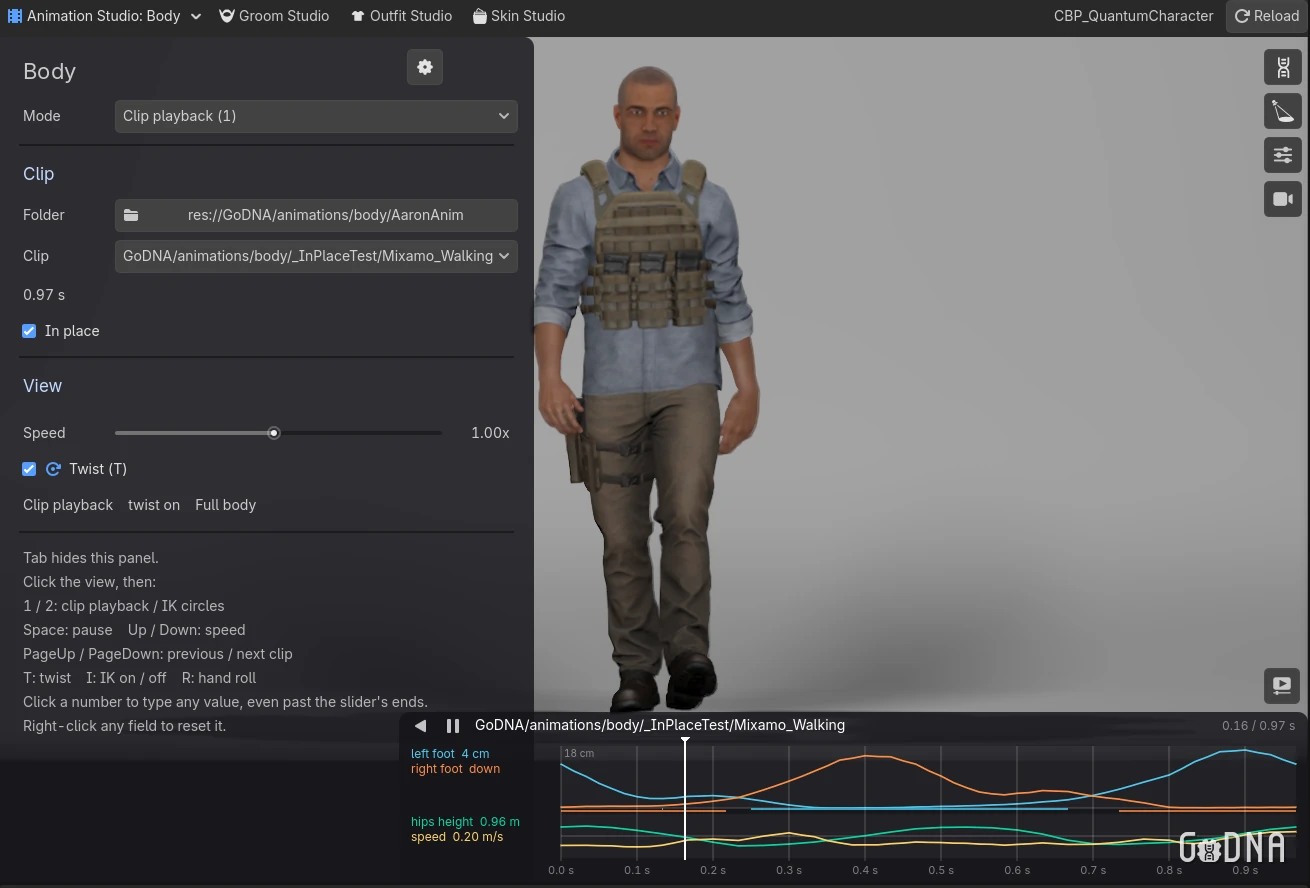
Clip playback
- Folder sets where clips are listed from (default
res://GoDNA/animations/body/, subfolders included). Every FBX or glTF imported as an Animation Library is listed, plus scenes with anAnimationPlayer. See Retargeting animations for import settings. - Clip picks the file, Animation the animation inside it.
- The timeline under the view (the button at the bottom right slides it up and down) plays, pauses and scrubs the clip. It graphs each foot's height with bars where it's on the ground, the hips' height and the speed over the ground, with their values at the playhead on the left.
- Every clip starts with the character on the center of the stage, wherever the clip itself starts.
- In place keeps a clip that walks, runs, turns or stops on the spot: all its travel over the ground is taken out, curves and pivots included, and the sway and bounce stay. The status shows how far a clip gets from where it starts. It only changes the preview; to pack a clip in place, use Character Animations.
IK circles
Moves both hands in circles with Godot's TwoBoneIK3D, to check the arms, shoulders and twist bones through a range
of poses.
- IK on (I) turns the IK on and off.
- Hand roll (R) rolls the hands by Roll degrees while they circle, to check the forearm twist.
- Circle time sets how long one circle takes.
View
- Pause (Space, in IK circles mode) and Speed.
- Twist (T) turns the twist modifier on and off. Turn it off for UE clips, which animate the twist bones themselves.
- The camera's focus views (C) include full body and close-ups of the forearm, shoulder and knee.
| Key | Action |
|---|---|
| 1 / 2 | Clip playback / IK circles |
| Space | Pause |
| Up / Down | Speed |
| Page Up / Page Down | Previous / next clip |
| T | Twist |
| I | IK on / off |
| R | Hand roll |