Animation Combiner
The Animation Combiner lays a body clip and a face take out on one timeline, bakes them into one Animation, and
packs it into the character. It's under the Animation Studio dropdown.
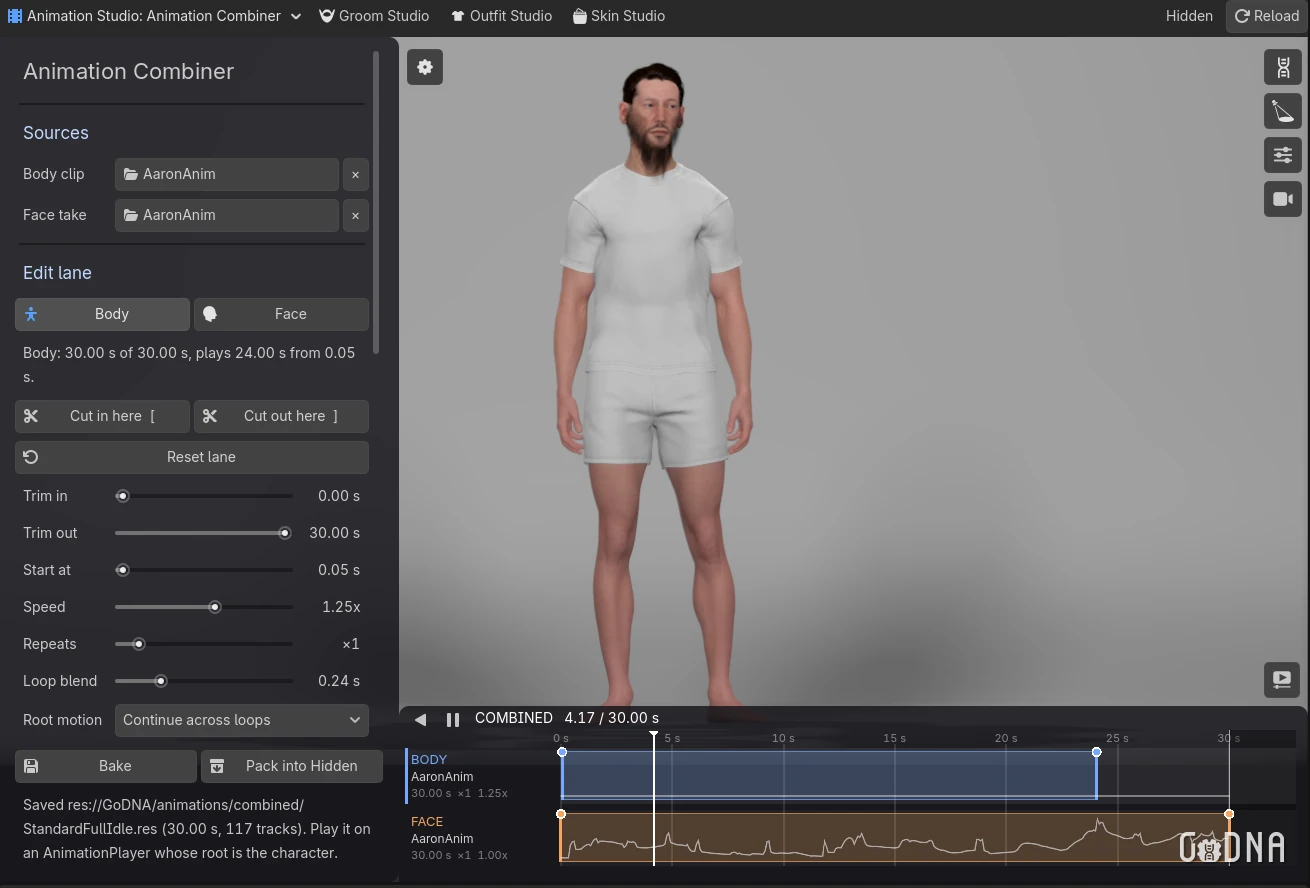
Sources
- Body clip: click it to pick a file anywhere in the project: an Animation Library (an animation file imported
with the humanoid BoneMap, or a
.tresfrom Body Studio) or a singleAnimation. Animation picks one when the library has several. × empties the lane. - Face take: click it to pick a take (an
Animationwith ARKit shape tracks), such as Face Studio's recordings.
Dropping a file from the FileSystem dock on the view works too.
Each becomes a lane on the timeline.
Editing a lane
Pick the lane under Edit lane (or Up / Down), then:
| Setting | Meaning |
|---|---|
Cut in here [ / Cut out here ] |
Trim the clip at the playhead. |
| Trim in / Trim out | Where the clip starts and ends, in seconds into the clip. |
| Start at | When the lane starts in the combined animation. Drag its block on the timeline too. |
| Speed | Playback speed of the clip. |
| Repeats | How many times the clip plays. 0 (fill) repeats it until the longest other lane ends. |
| Loop blend | Seconds each repeat crossfades into the next, so the seam doesn't pop. |
| Root motion | Body only. When the clip repeats: continue from where the last repeat ended, stay in place (walk on the spot), or jump back as in the clip. |
| Fade in / Fade out | Seconds to ease in from, and out to, the rest pose (body) or a neutral face. |
| Easing | The shape of the fades. |
| Smoothing | Softens jitter and snaps (0 = off). |
| Intensity | Face only. Scales every shape (each stays within 0..1). |
| Head | Face only. Scales the take's head rotation; 0 leaves the head to the body clip. |
| Reset lane | Back to the whole clip, played once, no fades or smoothing. |
Outside its span a lane holds its first or last frame.
On the timeline, drag a block to move a lane, its edges to trim and the round handles to fade. Hold Shift to stop snapping to frames.
| Key | Action |
|---|---|
| Space | Play / pause |
| Home | To the start |
| Left / Right | One frame |
| Up / Down | Lane to edit |
| [ / ] | Cut in / out at the playhead |
Output
- Name (default
<clip>_<take>), Frame rate and Loop the combined animation. - Bake writes a binary
.restores://GoDNA/animations/combined/. Overwriting asks first. - Pack adds the baked file to the character's
.gdna(animations) and reimports. The character then gets anAnimationPlayerwith the animation under its file name, and keeps it through every reimport. The file is referenced, not copied, so baking it again updates the character. - Packed in the character lists the packed animations; remove one from the character there. To rename them, loop them, keep them in place or pick the autoplay one, use Character Animations.
The output keeps the source tracks' paths (%GeneralSkeleton:<bone>, .:jawOpen, .:head_rotation), so it plays
on any AnimationPlayer whose root is a GoDNA character. Body tracks for bones the character doesn't have are
dropped.